
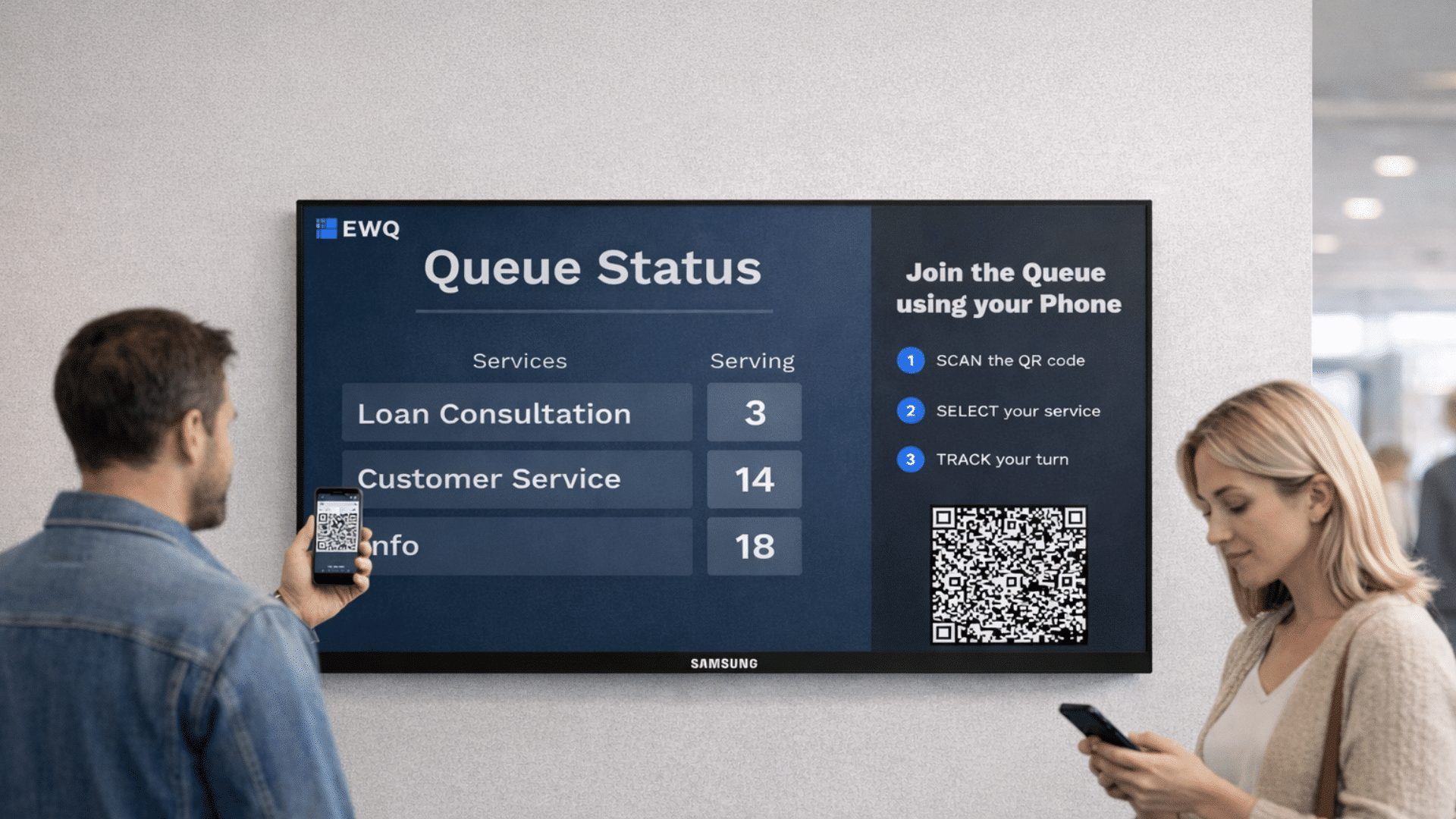
Nordic queuing innovation goes global: EWQ SuperQueue now on Samsung VXT
EWQ Zone Oy today announced that its cloud based digital queuing solution, SuperQueue, is now available in the Samsung VXT ecosystem. The listing enables organizations worldwide to deploy a mobile first queuing experience on any Samsung VXT managed display, helping reduce physical lines, improve customer satisfaction, and unlock actionable service insights.
EWQ is happy to share that SuperQueue is now available in the Samsung VXT ecosystem and can be installed on any Samsung VXT-managed display. The VXT listing makes it simple for retailers, healthcare providers, corporate reception teams and public sector organizations to deploy a mobile-first queuing experience that reduces physical lines, improves customer satisfaction and delivers actionable service insights—now available globally through Samsung VXT.
Built in Finland and shaped by Nordic service design—where clarity, fairness and efficiency are essential—SuperQueue enables customers to join a queue by scanning a QR code on-screen or via a short web flow, and then wait anywhere until their number is called.
SuperQueue is published as the EWQ SuperQueue VXT App in Samsung VXT (Hospitality category) and connects directly to the EWQ Zone ecosystem through a simple registration and Unique Key flow. Once installed and connected, users can add the SuperQueue widget to VXT Canvas, customize the look and behavior of queue screens, and deploy the queue to VXT displays in minutes. Full installation and configuration steps — including login, Unique Key registration, styling options, queue control and Store Management for statistics — are available in the app documentation.
What SuperQueue on Samsung VXT delivers
- Mobile-first customer experience. Customers join queues by scanning a QR code or via a short web flow and can continue shopping or moving freely until called — reducing perceived waiting time and increasing conversion opportunities.
- Flexible staff tools. Employees manage queues from mobile or browser tools rather than being tied to a single service point; managers can respond to peaks in real time and call customers anywhere in-store.
- Real-time insights and KPI tracking. Every service event is logged to provide workload analytics, service time metrics and automated customer feedback to support continuous service improvement.
- Fast deployment and customization. The VXT integration exposes queue controls, styling, group/area configuration, open times and Store Management directly from the VXT Canvas property panel for rapid localization and deployment.
With SuperQueue now globally available through the Samsung VXT ecosystem, any organization using Samsung VXT displays can adopt a modern, mobile-first queuing solution—bringing the Nordic approach to queueing to customers worldwide.”
Mikael Krogius, CTO
The launch of the SuperQueue application reflects the strength of our long-standing partnership and our shared focus on innovation. We’re proud to welcome EWQ into the VXT ecosystem and excited about the opportunities this collaboration unlocks for the future.”
Jamie Bugler, Director of Business and Solutions Development
How to get SuperQueue on VXT
- Install EWQ SuperQueue VXT App in Samsung VXT (Hospitality category).
- Click Login on the VXT Canvas and Register to connect your workspace to the EWQ Zone ecosystem and follow the instructions.
- Select the SuperQueue extension from the widget menu, edit properties in the right panel, save the canvas and deploy them to your screen. The queue will be live and manageable via the EWQ Portal and Store Management for statistics. (Installation and usage steps are documented in the app.)
More news

Anni Ronkainen appointed Chair of the Board of EWQ Zone Oy
Anni Ronkainen has been appointed Chair of the Board of EWQ Zone Oy as the company enters its next phase of development and growth.